Creating an Environment
The first step in setting up an environment is clicking the  button. In the Environment Setup dialog, give your environment a name, choose a cloud provider, select one of that provider’s regions, then choose whether to use Altinity’s account or your own:
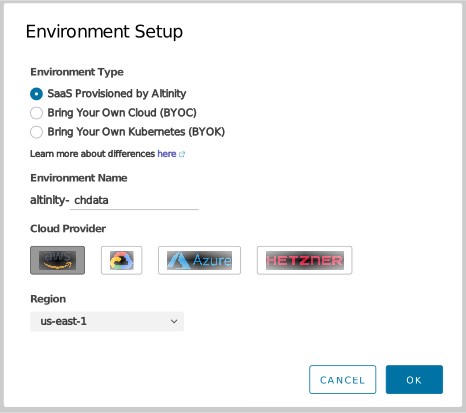
Figure 1 - The Environment Setup dialog
Your choices are:
Use Altinity’s cloud account - ClickHouse as a service, hosted and managed by Altinity. Choose your cloud provider and region:
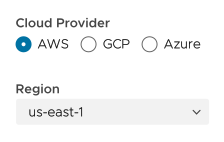
Figure 2 - SaaS environment - Choose a cloud provider and region
If your SaaS provider is Hetzner, you’ll need to specify a region and a location:
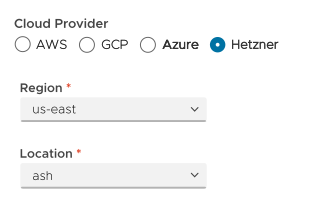
Figure 3 - SaaS environment - Choose a region and location for Hetzner
Currently SaaS on Azure is not supported. If you select Azure as your cloud provider, Bring your own cloud will be selected for you:
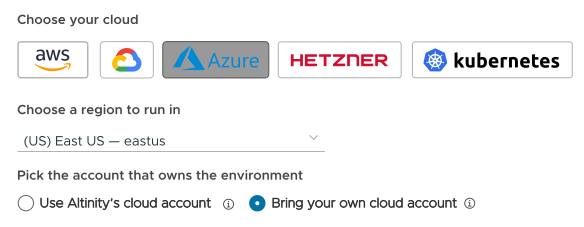
Figure 4 - SaaS on Azure is not supported
Bring your own cloud account - Altinity.Cloud provisions Kubernetes clusters in your cloud account, then it provisions ClickHouse clusters inside those Kubernetes clusters. Choose your cloud provider and a region:
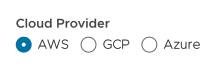
Figure 5 - Using your own cloud account
See the Bring Your Own Cloud documentation for complete details.
Bring your own cloud account - Kubernetes option - If you select Kubernetes as your cloud provider, that means you’re using your own Kubernetes cluster to host your ClickHouse clusters. When you choose this option, the other options are disabled:
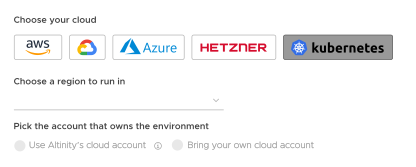
Figure 6 - Using your own Kubernetes environment
You’ll see a message explaining that you’ll have to create much of the infrastructure yourself:
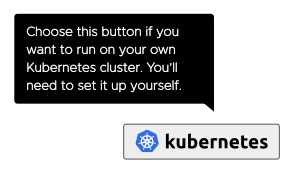
Figure 7 - Responsibilities of using your own Kubernetes environment
See the Bring Your Own Kubernetes documentation for complete details.
Click OK to create the environment.