Configuring Annotations
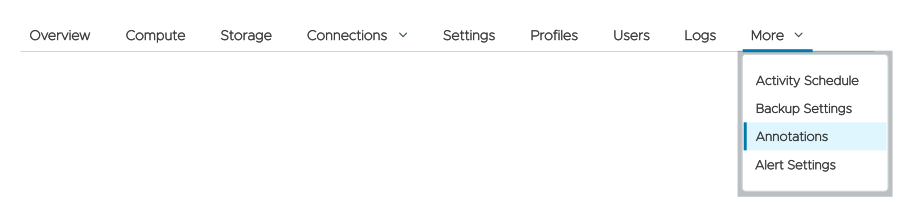
You can define any number of Kubernetes annotations to add metadata to your ClickHouse clusters. NOTE: Annotations are only available for Bring Your Own Cloud (BYOC) and Bring Your Own Kubernetes (BYOK) clusters.
Click the Annotations menu to get started:
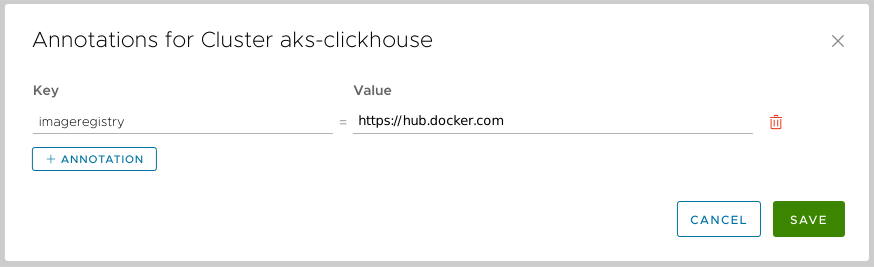
Figure 1 - The Annotations dialog
You can edit the key or value of any annotation in the list. Clicking the  button adds a new annotation, and clicking the
  icon deletes one. The Annotations are added to the
 chi instance that hosts your ClickHouse clusters. (A chi is a ClickHouse Installation, a Kubernetes custom resource.)
An administrator can add an annotation to the list of cost allocation tags with the syntax $(annotation:annotation_name). In the example above, the value of a cost allocation tag created with $(annotation:Team) would be engineering. See the documentation for Cost Allocation Tags for more information.
Click SAVE CHANGES to save your changes.