Deleting Clusters, Data, and Everything
BEFORE YOU DELETE EVERYTHING...
Keep in mind that you can delete your environment without disturbing your ClickHouse clusters and the data they contain. See the Keeping Your Clusters and Data documentation for all the details. If you’re sure you want to delete everything, read on…Deleting an environment created with Terraform
If you created your environment with a Terraform script, you need to delete the environment with terraform destroy. See the Altinity.Cloud Terraform documentation for complete information.
Deleting your environment and its clusters and data
If you’re sure you’re ready to delete your Altinity.Cloud environment and its clusters data, go to the list of environments, click the  vertical dots icon next to your environment name and select Delete from the menu:
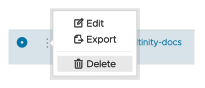
Figure 1 - The Delete Environment menu
This option includes any Kubernetes or cloud resources Altinity.Cloud might have created. The simplest case is an environment that doesn’t have any ClickHouse clusters:
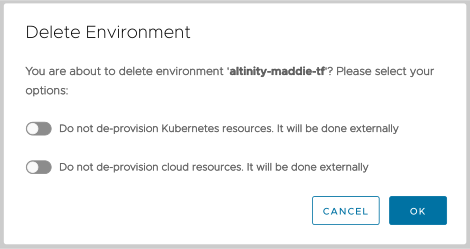
Figure 2 - Deleting an Altinity.Cloud environment with no ClickHouse clusters
The “Do not de-provision cloud resources” slider only appears if you’re running Altinity.Cloud in your environment (BYOC).
Typing in the name of your environment and clicking DELETE deletes the Altinity.Cloud environment and its associated Kubernetes or cloud resources. The two sliders feel like a double negative (“No, don’t not delete my resources”), but the choices in Figure 5 delete your environment’s underlying resources.
If your environment has ClickHouse clusters, you should delete them from the Clusters View in the ACM before deleting your Altinity.Cloud environment. However, you can click the Delete Clusters slider and have the ACM delete your ClickHouse clusters along with the resources that host them. These choices delete everything:
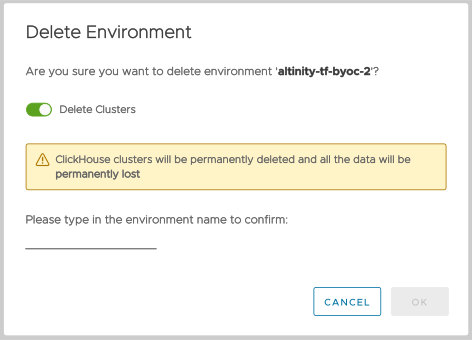
Figure 3 - Deleting an Altinity.Cloud environment and its ClickHouse clusters
You’ll see a progress dialog that shows how various resources are being deprovisioned and deleted:
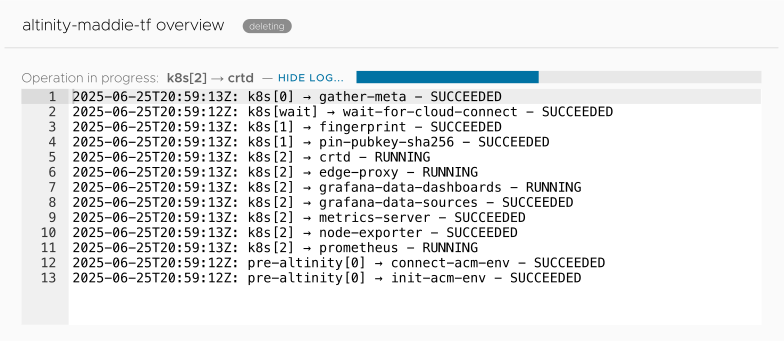
Figure 4 - The environment deletion progress dialog