Cluster Overview
A summary view of your cluster’s resources
In this section we’ll look at all the configuration settings you can change or modify for a ClickHouse® cluster through the Altinity Cloud Manager (ACM), expanding on the basics we covered in the ACM introduction. The items we’ll go through are the menus in the Cluster (singular) view:
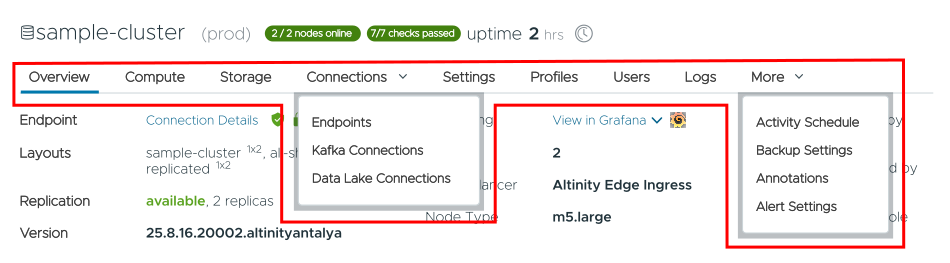
You can also do these tasks from the  menu in the Clusters (plural) view:
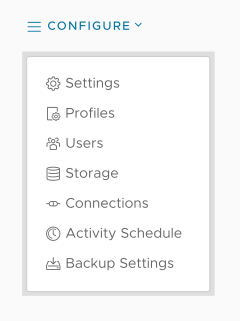
Each menu is covered in the following pages:
A summary view of your cluster’s resources
Configuring the compute resources your ClickHouse® cluster will use
Setting up storage for your ClickHouse® cluster
Defining how the world talks to your ClickHouse® cluster
Connecting your ClickHouse® cluster to a Kafka® server
Working with Data Lakes in ClickHouse®
Enabling the Altinity MCP for your ClickHouse® cluster
Setting properties and environment variables for your ClickHouse® clusters
Setting up profiles for groups of ClickHouse® users
Controlling user accounts in your ClickHouse® cluster
See what’s going on inside the system
Setting schedules for your ClickHouse® cluster to stop, start, or rescale
Defining how, when, and where your data is backed up
Annotating nodes in your ClickHouse® cluster
Defining alerts and the events that trigger them