Disconnecting an Environment
It’s much easier to simply disconnect your ClickHouse® clusters from Altinity.Cloud. (It’s also easy to reconnect them later.) If you use kubectl to scale the cloud-connect pods in the altinity-cloud-system namespace to zero, the ACM won’t be able to connect to your ClickHouse cluster. Your ClickHouse cluster and the applications that use it will be unaffected; they’ll simply be disconnected from Altinity.
To start, we’ll look at the ACM Environment view:
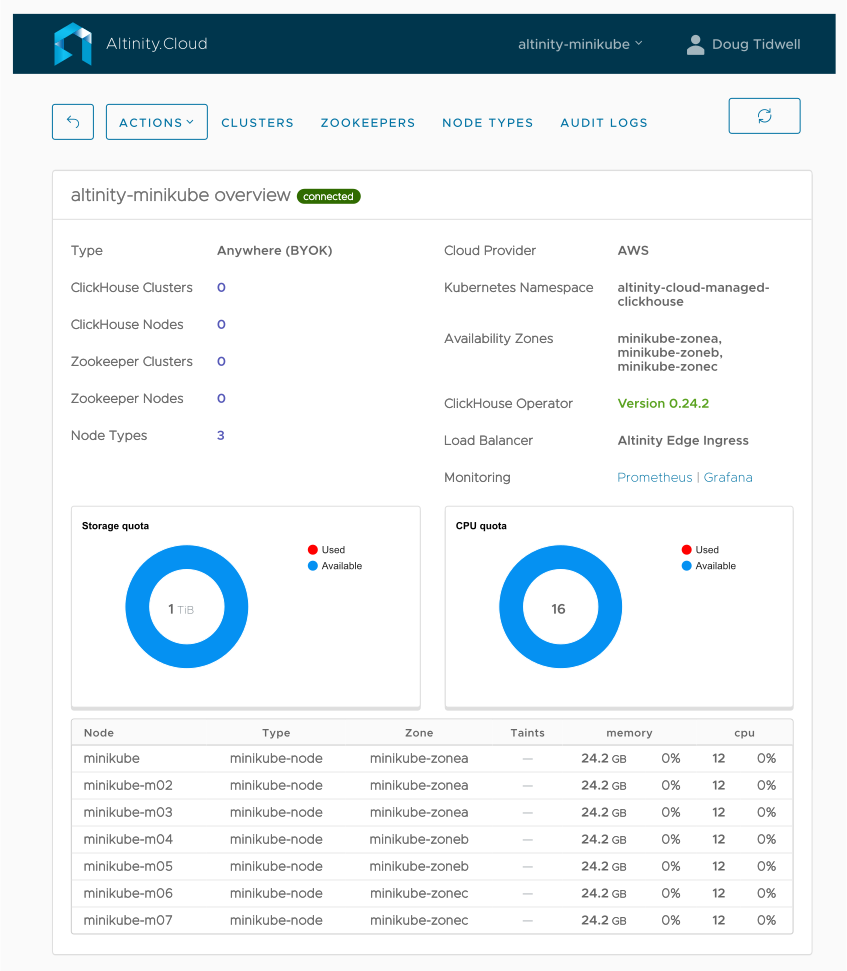
Figure 1 - A connected environment
The  indicator appears next to the environment name, letting us know our environment is connected to Altinity.Cloud. At the bottom of the display we can see the nodes in the environment, the types of those nodes, their zones, etc.
Now we’ll go to the command line and look at the deployments in the altinity-cloud-system namespace:
> kubectl get deployments -n altinity-cloud-system

NAME                 READY   UP-TO-DATE   AVAILABLE   AGE
cloud-connect        1/1     1            1           8h
crtd                 1/1     1            1           8h
edge-proxy           2/2     2            2           8h
event-exporter       1/1     1            1           8h
grafana              1/1     1            1           8h
kube-state-metrics   1/1     1            1           8h
statuscheck          1/1     1            1           8h
And we’ll scale the cloud-connect pods to zero:
> kubectl scale deployment cloud-connect --replicas=0 -n altinity-cloud-system

deployment.apps/cloud-connect scaled
Looking at our deployments, cloud-connect has been scaled to zero, as we’d expect:
> kubectl get deployments -n altinity-cloud-system

NAME                 READY   UP-TO-DATE   AVAILABLE   AGE
cloud-connect        0/0     0            0           8h
crtd                 1/1     1            1           8h
edge-proxy           2/2     2            2           8h
event-exporter       1/1     1            1           8h
grafana              1/1     1            1           8h
kube-state-metrics   1/1     1            1           8h
statuscheck          1/1     1            1           8h
Pretty soon we’ll get a notification that the environment has been disconnected:
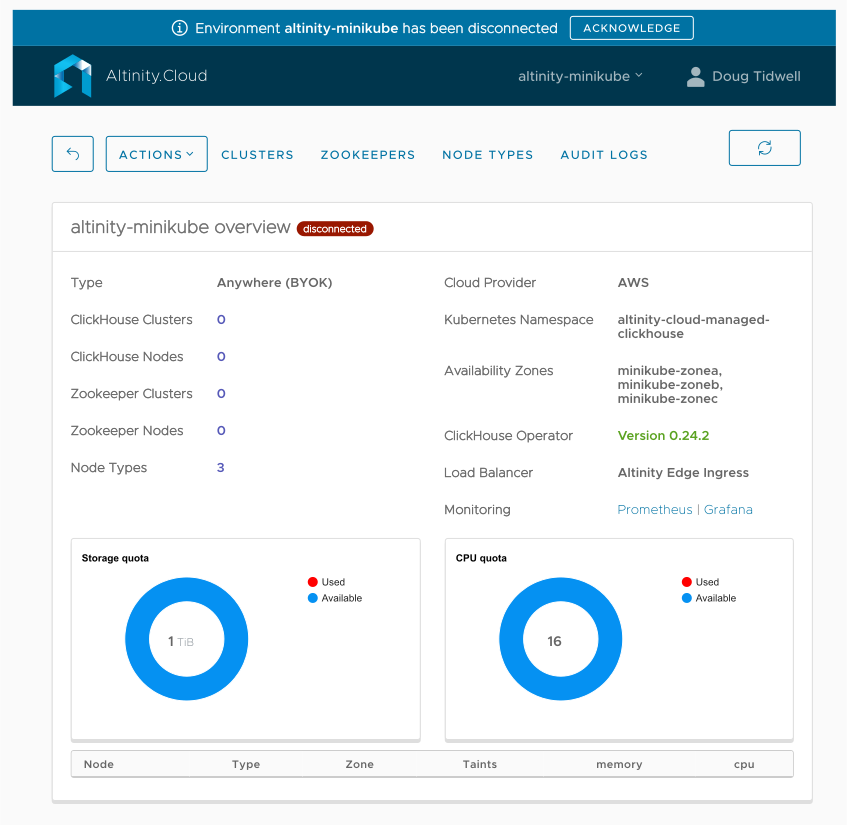
Figure 2 - A disconnected environment
Now the  button appears next to the environment name and the list of nodes at the bottom of the display is empty.
At this point, Altinity has no access to your environment or the ClickHouse clusters in it.
Reconnecting, of course, is simple:
> kubectl scale deployment cloud-connect --replicas=1 -n altinity-cloud-system

deployment.apps/cloud-connect scaled
Shortly after rescaling the deployment, the environment will be reconnected. This technique makes it easy to disconnect and reconnect your environment without disturbing your ClickHouse clusters and the applications that use them.