Cost Allocation Tags
For Bring Your Own Cloud (BYOC) environments, you can assign tags (name/value pairs) to storage and compute assets created through the ACM. That gives you more flexibility in tracking costs and in doing chargebacks.
To work with them, click the  icon on the Environment summary view and select Cost Allocation Tags from the dropdown menu. You’ll see a list of key / value pairs:
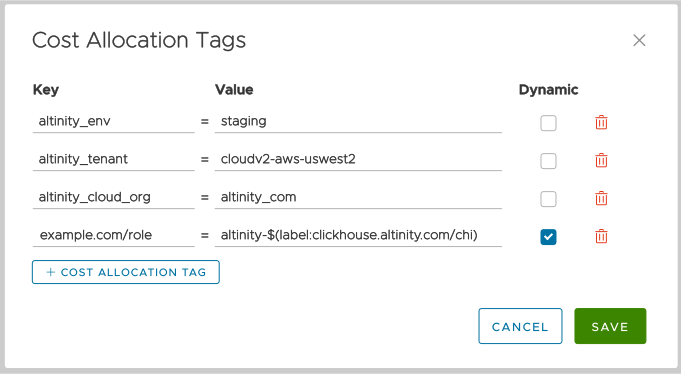
Figure 1 - The Cost Allocation Tags list
Working with tags is straightforward; the  button creates a new tag, and the
  trash can icon deletes one. Be aware that if you’re running Altinity.Cloud in our cloud (you have a SaaS environment), you can’t define cost allocation tags:
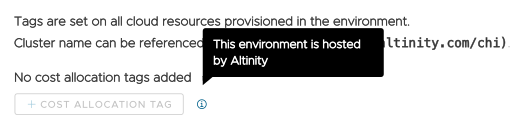
Figure 2 - Cost allocation tags not available in Altinity-hosted environments
You can use the macro $(label:clickhouse.altinity.com/chi) to insert the name of the current ClickHouse® cluster. In Figure 1, the value of the altinity:cloud/chi and altinity_cloud_chi tags will be the name of a ClickHouse cluster inside the altinity-maddie-saas environment.