Deleting an Environment Altinity Can't Connect To
Housekeeping for an unreachable environment
If Altinity.Cloud can no longer connect to your environment, you need to tell the ACM that you’ll take the responsibility of deleting any Kubernetes or cloud resources that Altinity.Cloud created:
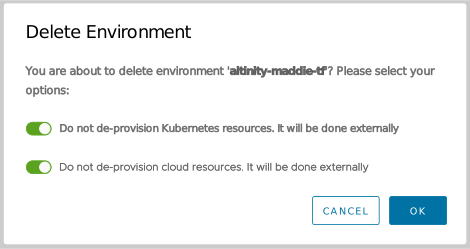
Figure 1 - Deleting an Altinity.Cloud environment, deleting resources by hand
The “Do not de-provision cloud resources” slider only appears if you’re running Altinity.Cloud in your environment (BYOC).
If this is what you want to do, type the name of your environment and click DELETE. The ACM deletes the Altinity.Cloud environment, but you’ll have to delete its resources by hand.