GCP Private Service Connect
Altinity.Cloud users can use Google Cloud’s Private Service Connect (PSC) to connect to a service in their GCP environment from their Altinity.Cloud environment. The PSC becomes a private connection between your existing GCP services and Altinity.Cloud without exposing the connection to the Internet.
The architecture of the connection looks like this:
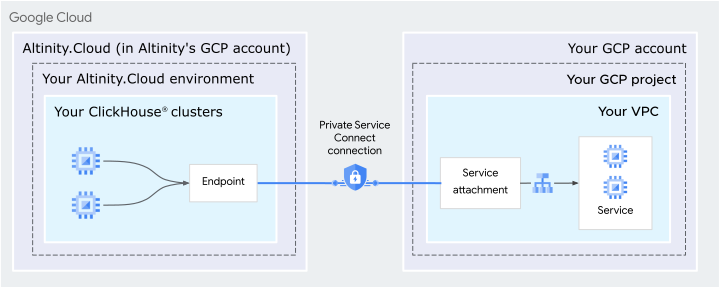
Figure 1 - Architecture of a PSC connection
On the left side of the diagram is your Altinity.Cloud account, running in Altinity’s GCP account. That’s where your environment with your ClickHouse® clusters are. On the right side of the diagram is your GCP account. The PSC connection gives your ClickHouse clusters secure access to the services in your GCP account.
To create the architecture in Figure 1, you’ll need to go through these steps:
- Create a Private Service Connect in your GCP account
- Get the DNS information for the PSC
- Contact Altinity support to configure the PSC
Creating a Private Service Connect in your GCP account
To get started, go to the list of GCP products and select Networking in the list of categories on the left. Select Network Services:
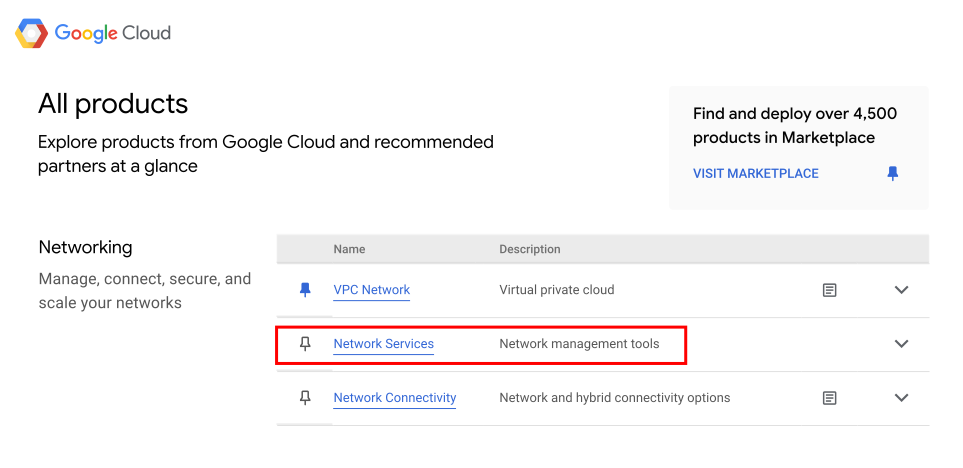
Figure 2 - Opening Network Services
Next, click Private Service Connect in the list on the left side of the page. You’ll be on the CONNECTED ENDPOINTS tab. Click CONNECT ENDPOINT in the Endpoints section:
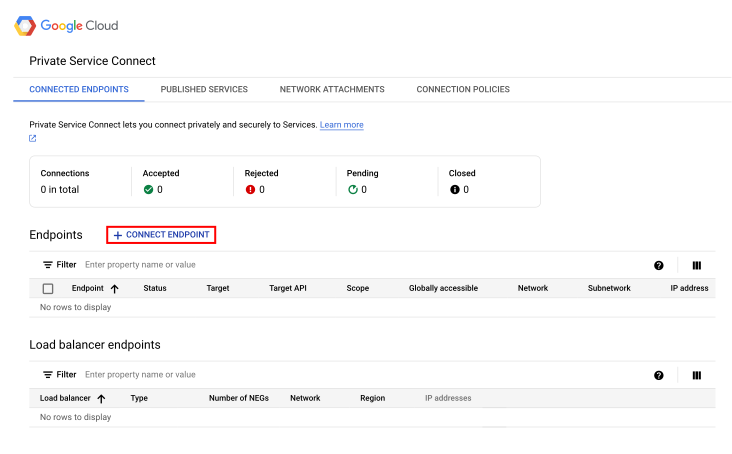
Figure 3 - The CONNECT ENDPOINT link
In the Connect Endpoint dialog, make the following choices:
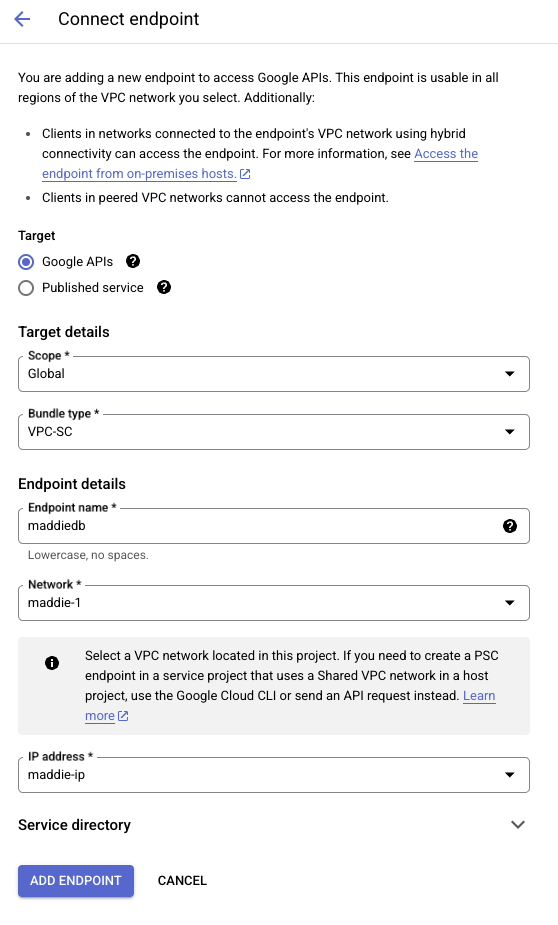
Figure 4 - Connecting the endpoint
It’s possible you’ll need to create a new static IP address:
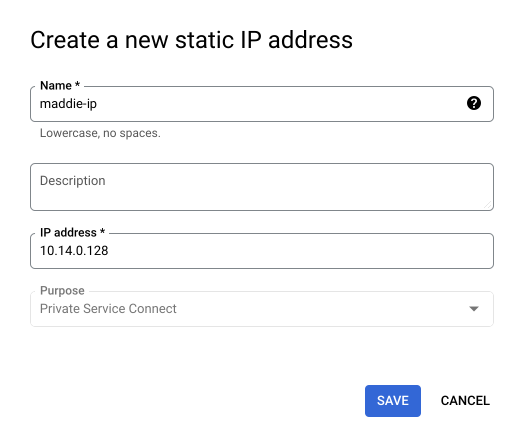
Figure 5 - Creating a new static IP address
Click ADD ENDPOINT to create the endpoint.
Setting the DNS information for the PSC
Contacting Altinity
Once you create and configure your PSC and its DNS records, contact Altinity to finish the configuration.
References
The Private Service Connect home page has lots of useful information, including a set of use cases and complete documentation.