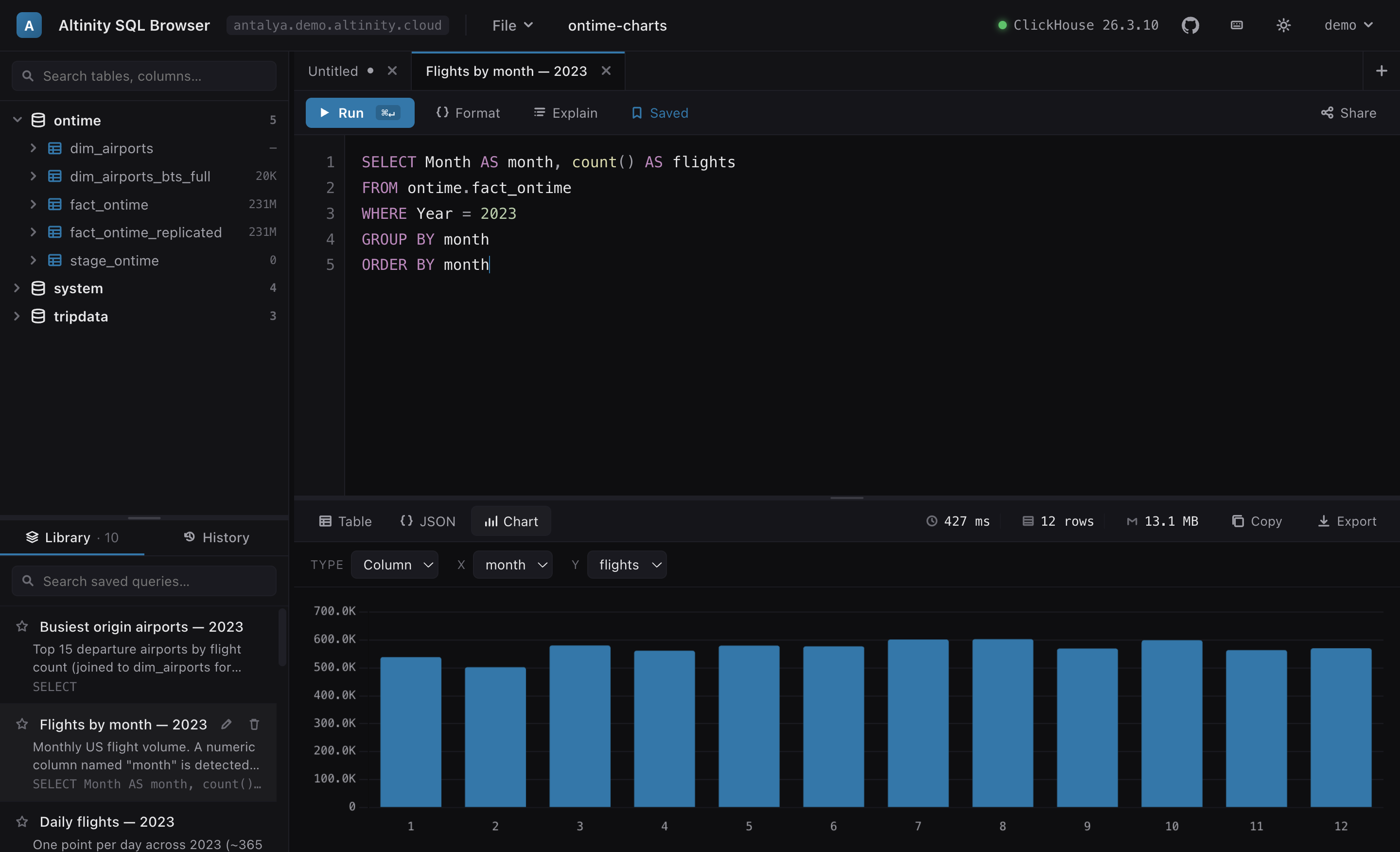
Query → table → chart, with a schema tree, tabbed editor and saved-query library — all in one page.
An OAuth-gated query browser with charts, EXPLAIN pipeline graphs, data-flow graphs and smart autocomplete — built as a single self-contained HTML file. Serve it from ClickHouse itself, or run it locally with one command.
curl -fsSL https://raw.githubusercontent.com/Altinity/altinity-sql-browser/main/install.sh | sh
Query → table → chart, with a schema tree, tabbed editor and saved-query library — all in one page.
The browser talks straight to ClickHouse over HTTP. There is no app server or database of its own; runtime libraries are bundled into the one HTML file.
Each user signs in with your IdP (any OIDC provider) via Authorization-Code + PKCE. ClickHouse sees their JWT and enforces their own grants. The app never holds a shared credential.
esbuild bundles everything — including Chart.js and the graph layout engine — into a single
sql.html. No CDN or external font/library loads. Serve it from ClickHouse's
user_files and you're done.
Charts, five EXPLAIN views including a pipeline graph, a live data-flow diagram that opens in its
own tab, autocomplete
from system.*, find/replace, a portable query library that exports to
Markdown or SQL, and share links.
The same artifact runs as a hosted app on your cluster, as a local desktop-style app, or straight from a dev checkout.
Upload the SPA + config to user_files and let ClickHouse's HTTP handlers
serve it at /sql, gated by your IdP.
deploy/install.sh commandOne command installs a launcher and a zero-dependency Python runner. Point it at the clusters in
your clickhouse-client config.
python3Clone the repo, npm run local, and iterate. The tested ES modules build to
the single artifact via esbuild.
The only moving parts are ClickHouse's HTTP interface and your OAuth provider.
Short pieces on how it works and why it's built this way.
One HTML file ClickHouse serves itself — OAuth in the browser, per-user grants, dependencies bundled.
Drag a database in and get a typed data-flow graph of MVs, dictionaries and Distributed tables.
EXPLAIN PIPELINE as a processor DAG — read parallelism and the Resize funnel at a glance.
Try the public demo, or install the local app with one command.