Feature tour

Everything in one query workbench

A custom editor, rich result views, query plans you can see, and a map of how your tables connect — all without a single third-party request.

Authentication

Sign in the way your cluster expects

SSO via any OIDC IdP

Google, Auth0, Okta and friends — Authorization-Code + PKCE, discovered from /.well-known/openid-configuration. The login screen can offer several providers.

Credentials & passwordless

HTTP Basic username/password for clusters without OAuth, including username-only connect for demo clusters. Tokens and credentials live only in sessionStorage.

See deployment & auth setup →

Result views

Table, JSON & charts from any query

Every result set switches between a sortable table, raw JSON, and a chart — without re-running. The table gives type-aware columns, NULL styling and row numbers, with live row, byte and elapsed-time stats in the toolbar.

  • Sortable, type-aware columns · expandable cells
  • One click to JSON, or to a chart — Line · Bar · Column · Area · Pie
  • Chart config saved with the query and in share links
  • CSV / TSV export and copy-to-clipboard
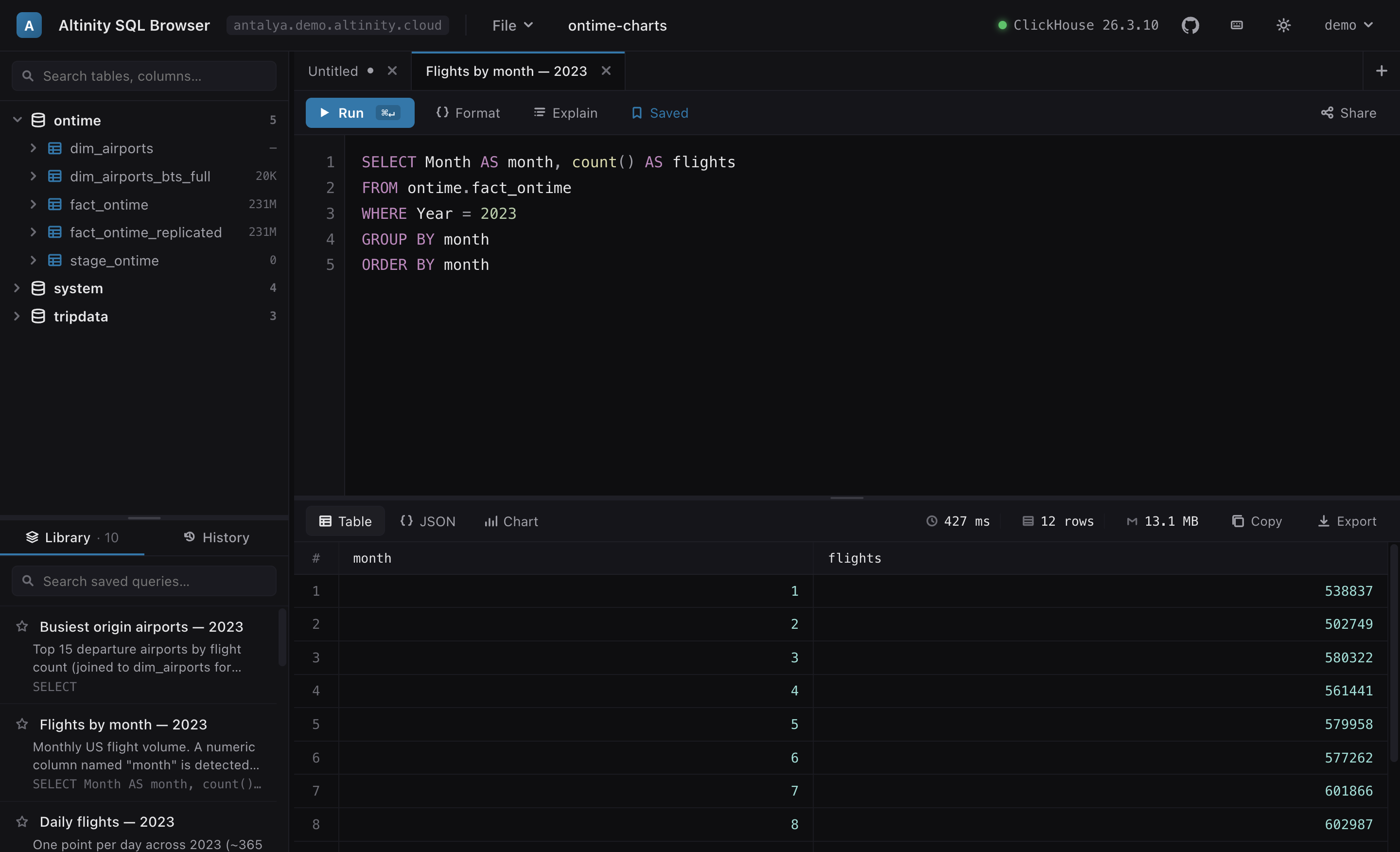
A monthly-flights query result shown as a sortable table with row numbers and live row, byte and elapsed-time stats in the toolbar.
Result views

Pick the shape that tells the story

A small categorical breakdown becomes a pie with a legend; a time series becomes a line. The same result is one click away from a clean table with sortable, type-aware columns and live row/byte/time stats.
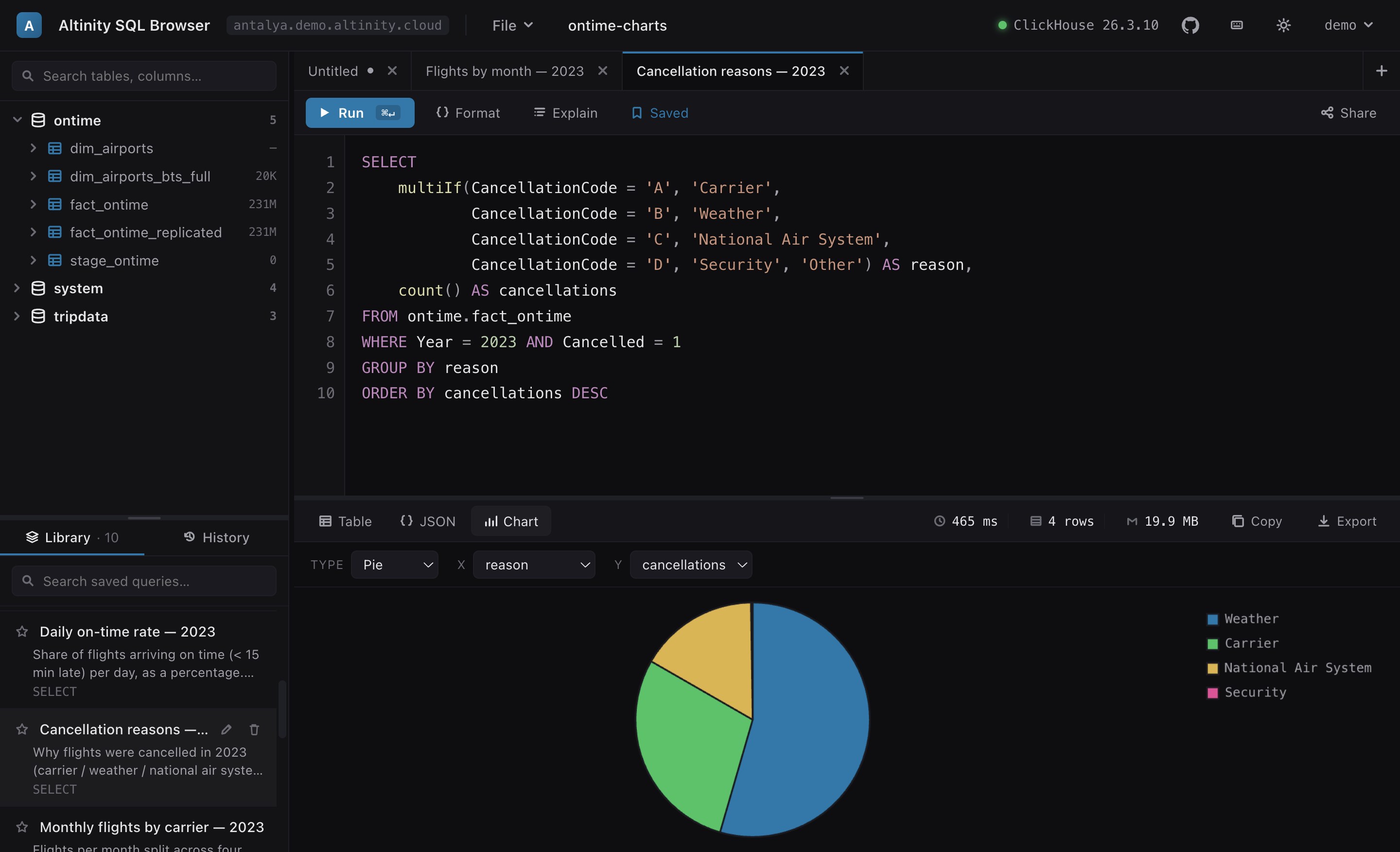
A cancellation-reasons query rendered as a pie chart with a legend.
Query plans

See the pipeline, not just the text

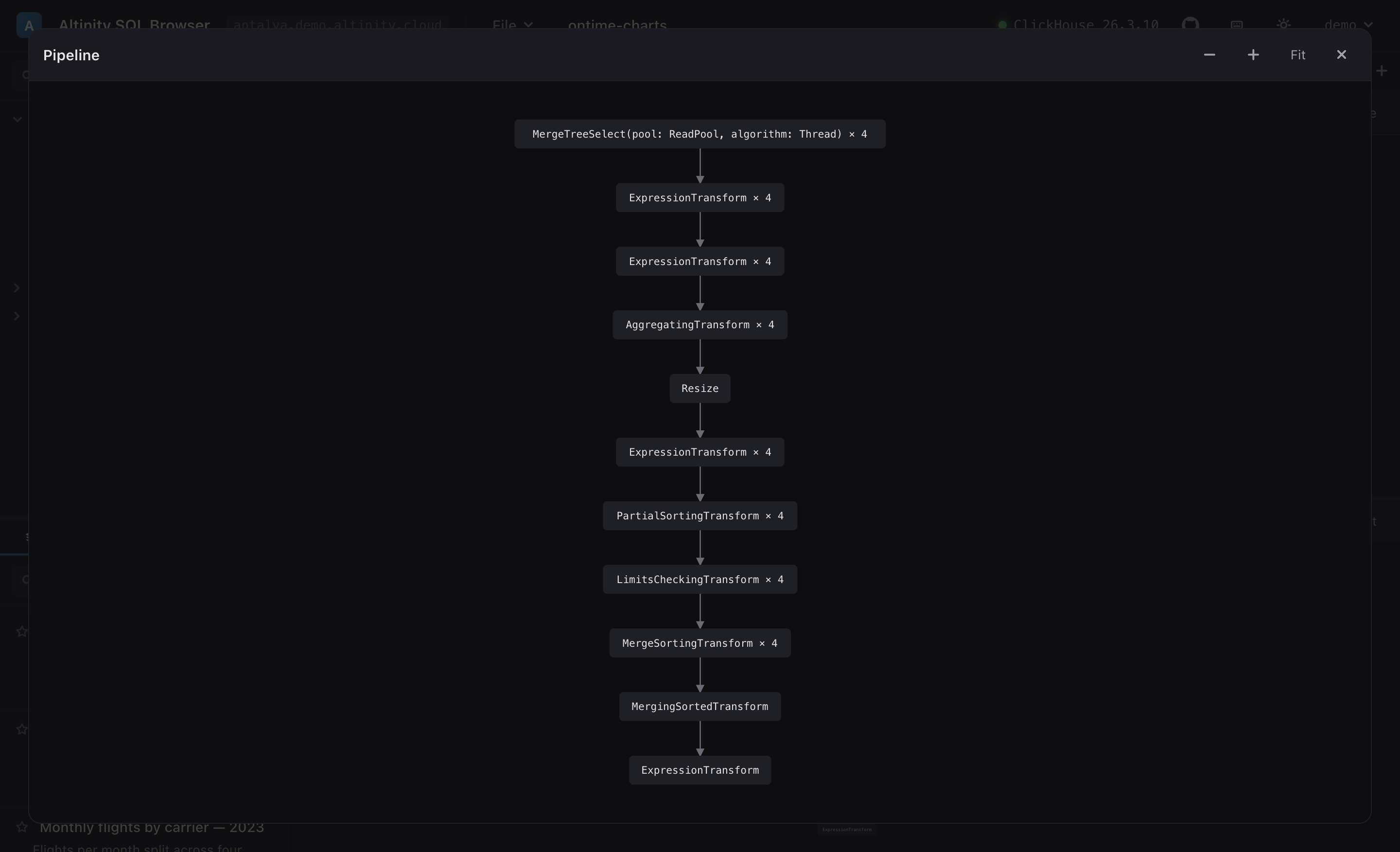
One Explain click gives five views — Explain, Indexes, Projections, Pipeline and Estimate. The Pipeline view renders EXPLAIN PIPELINE graph as a real boxes-and-arrows DAG you can pan, zoom and open fullscreen.

  • Processor graph laid out automatically
  • Index & projection analysis tabs
  • Auto-wraps your query — your editor is untouched
The EXPLAIN PIPELINE graph shown fullscreen as a vertical DAG of processors.
Data flow · opens in its own browser tab

A live schema diagram, not a static ERD

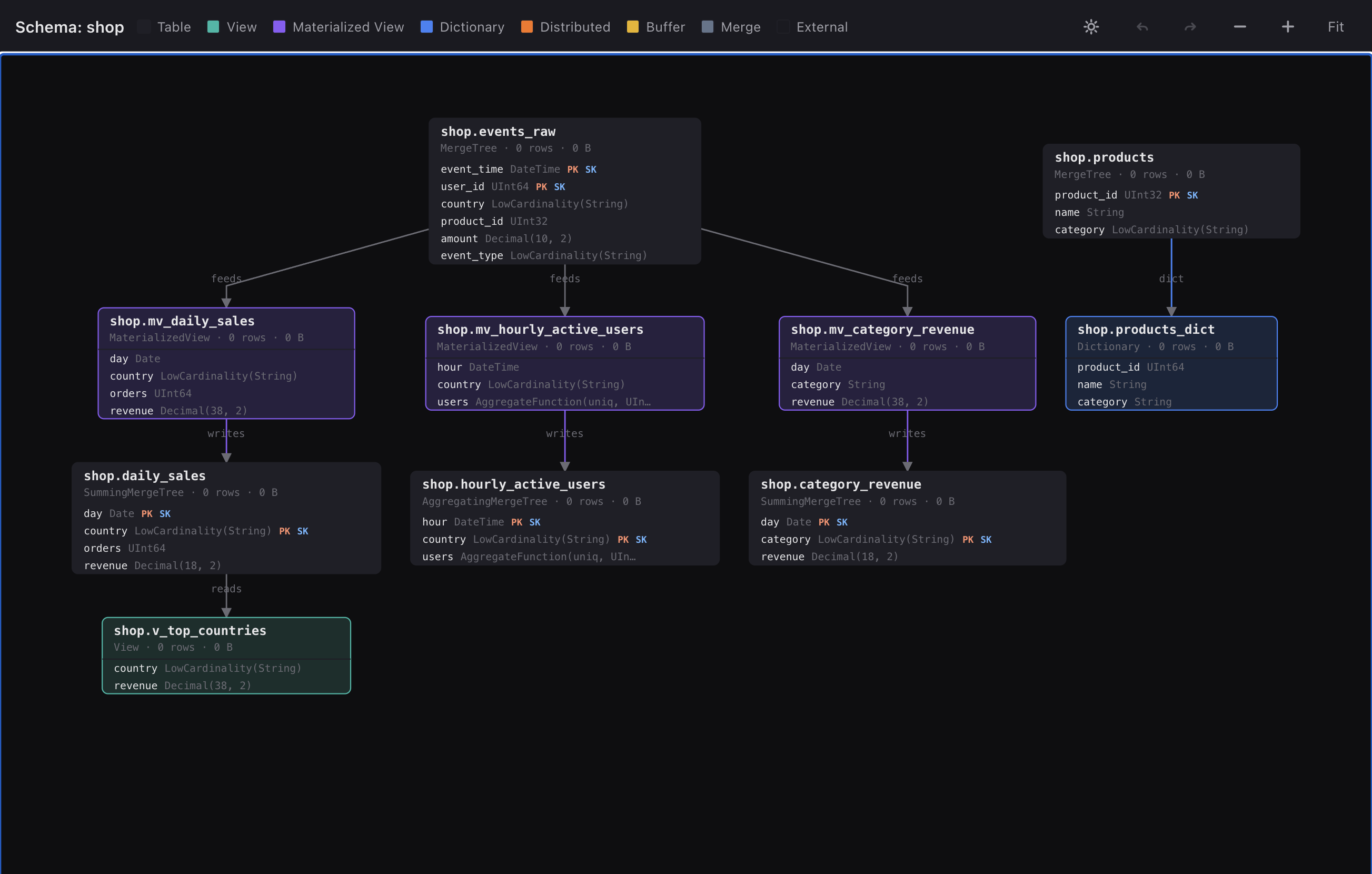
This is what sets it apart from a plain query runner. Drag a database or table in and it maps how your ClickHouse objects actually connect — then Expand opens the whole thing full-screen in its own live browser tab you can keep beside the editor.

The full data-flow diagram open in its own browser tab: each object is a rich card showing its engine, row and byte counts, and every column with type and PK/SK badges — events_raw feeding three materialized views that write to target tables, products feeding a dictionary, and a view reading from daily_sales.

Every object is a rich card — engine, row/byte stats and each column with its type and PK/SK badges — wired by feeds / writes / reads / dict edges.

Rich cards, not just names

Each node carries its engine, row/byte counts and full column list with types and PK/SK badges — covering tables, views, materialized views, dictionaries and Distributed / Buffer / Merge.

A real, editable canvas

Opens in its own browser tab (kept live by the opener, so it still holds your OAuth token). Drag nodes to rearrange — with undo/redo — pan, zoom and fit. Layout persists while the tab is open.

Click any node for detail

A side pane shows full columns, keys, partitions and SHOW CREATE DDL. Relationships are discovered transitively, across databases.

Try it on the live demo — drag the shop database onto the results pane · see more screenshots →

Query library · save · load · export

A portable library of saved queries

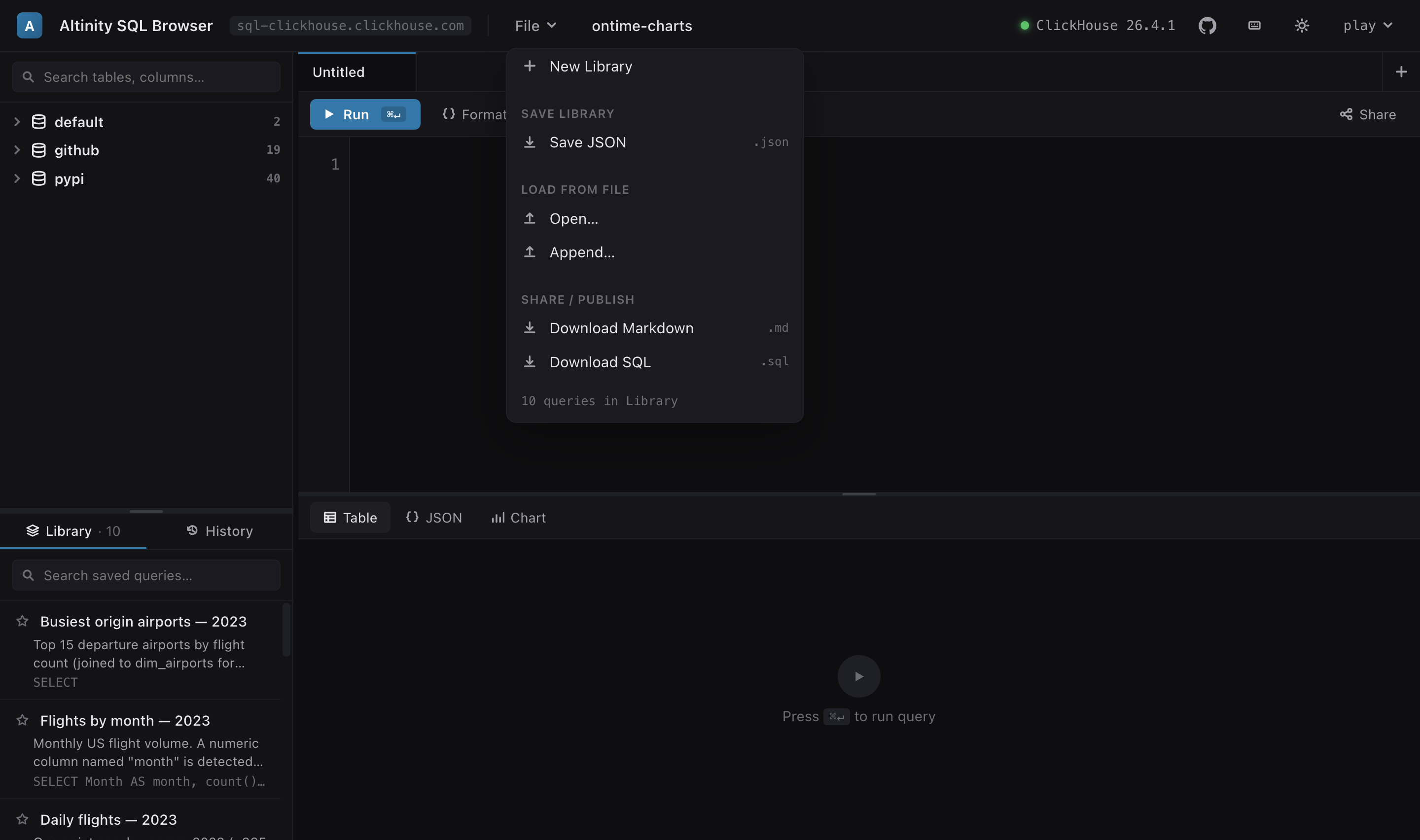
Turn ad-hoc SQL into a reusable, shareable collection — each query with a title and description, searchable and star-able, saved as one portable file you can hand to a teammate or check into git.

Save, organize, reload

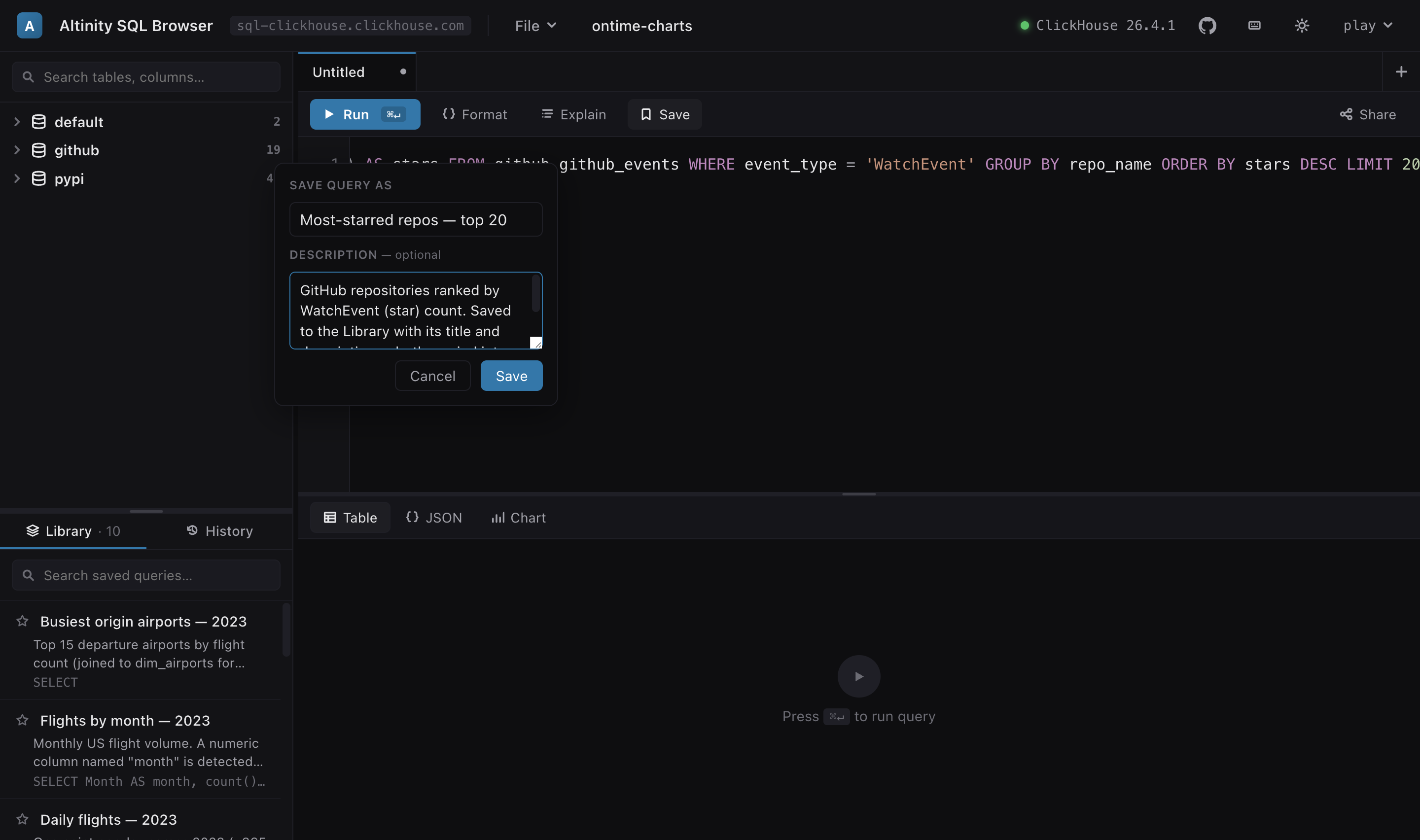
Hit Save (⌘S) to add the current query to the library with a name and an optional description. The whole library is one JSON file — Save it, Open a colleague's, or Append one into yours with smart de-duplication.

  • Title + description on every query
  • Search, star/favourite, rename, delete
  • Named libraries — keep one per project
  • A non-persistent history of recent runs
The File menu open over the workbench: New Library, Save JSON, Open…, Append…, Download Markdown (.md) and Download SQL (.sql), with the titled, described query list in the left sidebar.

Export to Markdown or SQL

Beyond the round-trip JSON, the library exports to two human-readable formats — so it doubles as a living cookbook. Markdown gives a fenced, readable doc; SQL gives a runnable batch. The title and description travel with every query.

  • Markdown### heading + fenced ```sql block
  • SQL — a /* name + description */ comment then the statement
The Save Query dialog with a name field and an optional description field whose placeholder reads 'included in Markdown export'.

Download Markdown .md

### Flights by month — 2023

Monthly US flight volume. A numeric column
named "month" is detected as an ordinal axis
→ vertical Column chart.

```sql
SELECT Month AS month, count() AS flights
FROM ontime.fact_ontime
WHERE Year = 2023
GROUP BY month
ORDER BY month
```

Download SQL .sql

/* Flights by month — 2023
Monthly US flight volume. A numeric column
named "month" is detected as an ordinal axis
→ vertical Column chart. */
SELECT Month AS month, count() AS flights
FROM ontime.fact_ontime
WHERE Year = 2023
GROUP BY month
ORDER BY month;

Real output from the bundled ontime-charts library — titles and descriptions preserved in both formats.

Try a ready-made library. Download shop-charts.json or ontime-charts.json, then File ▾ → Open it on the live demo and explore — every query opens straight into its chart.
SQL editor

Autocomplete that knows your server

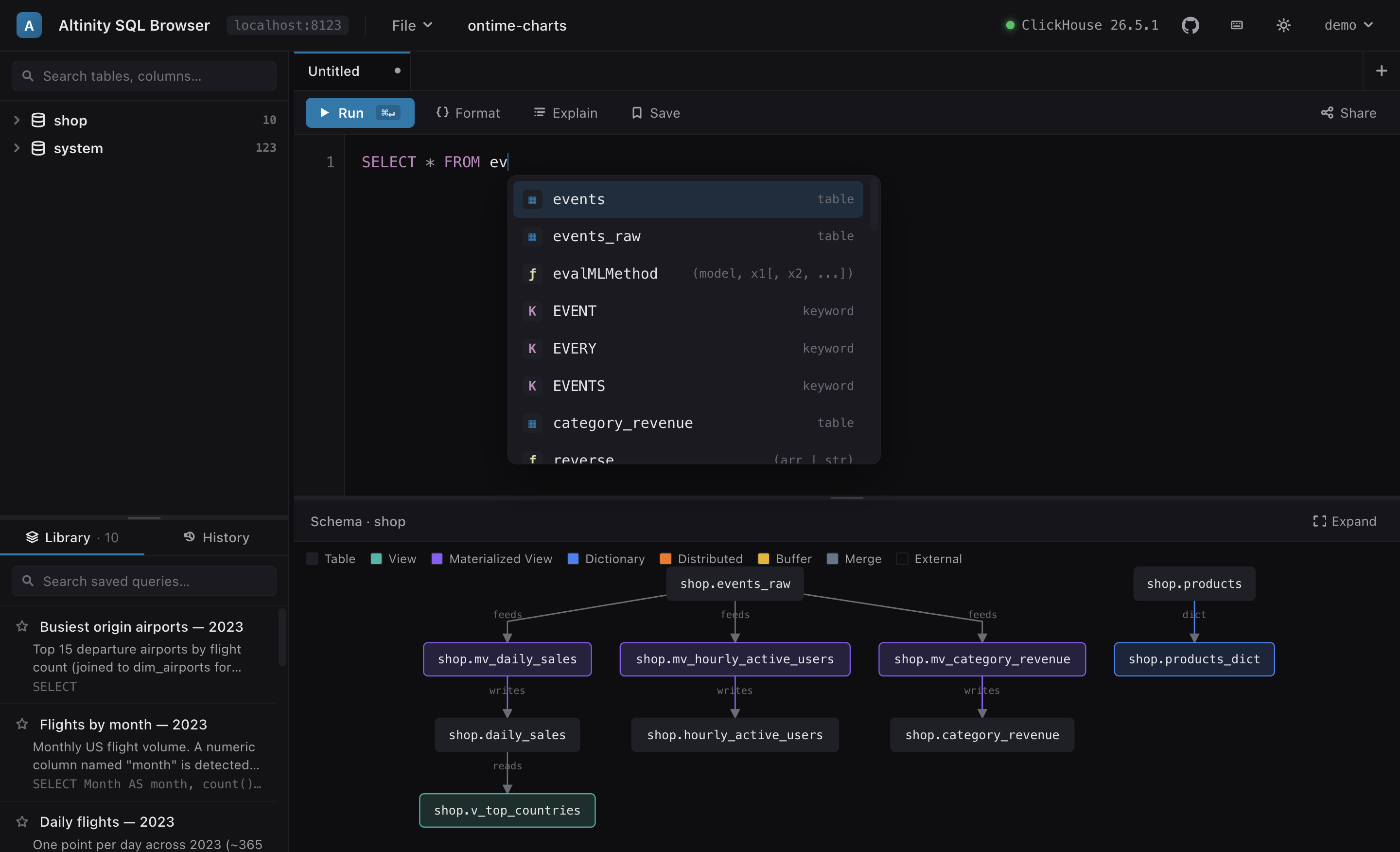
The editor reads system.keywords, system.functions and your schema once per connection, so completion, highlighting and signature help match the exact ClickHouse version you're on — and never fire a query on the keystroke path.

  • Ranked completions: databases, tables, columns, functions, keywords
  • Function signature help & hover docs
  • Find/replace with regex · bracket matching · multi-tab
The editor showing a ranked autocomplete dropdown with table, function and keyword entries, above a data-flow graph.
And the rest of the workbench

Built for everyday querying

Schema explorer

A filterable tree of databases → tables → columns with engines and row counts. Double-click to insert names; drag onto the editor or the results pane.

Copy & export results

Copy a result as TSV (pastes straight into a spreadsheet) or download it as RFC-4180 CSV. Live row, byte and elapsed-time stats sit in the result toolbar.

Share links

Encode a query (and its chart config) into a URL — open it and land on the same query. Zero server-side state.

Streaming results

Results stream in with a live progress bar and row/byte/time counters. Cancel a running query and keep the partial output.

Tabbed workspace

Multiple query tabs, each with its own editor, result view and chart config. Resizable editor / sidebar split.

Dark & light themes

A polished design-token palette in both themes, with native OS fonts — no web-font downloads.